> For the complete documentation index, see [llms.txt](https://docs.ellipsis-drive.com/llms.txt). Markdown versions of documentation pages are available by appending `.md` to page URLs; this page is available as [Markdown](https://docs.ellipsis-drive.com/developers/common-integrations/embed-ellipsis-drive-viewer-in-external-applications.md).
# Embed Ellipsis Drive viewer in external applications
#### Overview
You can embed the Ellipsis Drive web viewer into your own application or website to display interactive spatial maps.
The embedded viewer can include one or multiple layers and supports interaction, styling, and data exploration directly within your application.
***
#### Creating an embedded viewer
To embed a viewer:
1.) Open the layer or map you want to embed
2.) [Add additional layers](/getting-started/quick-start/how-to-import-layers.md) if needed to build your map view
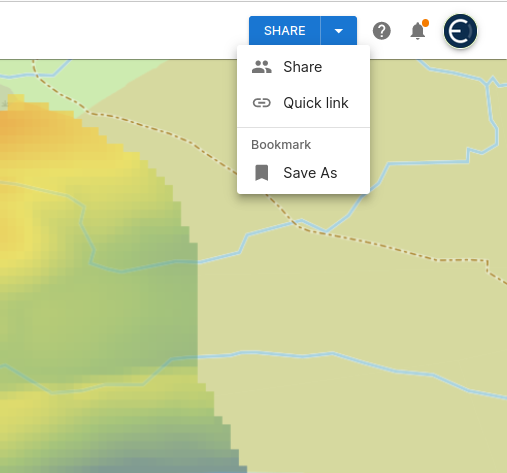
3.) Go to **Share** (top right) and select **Save as**
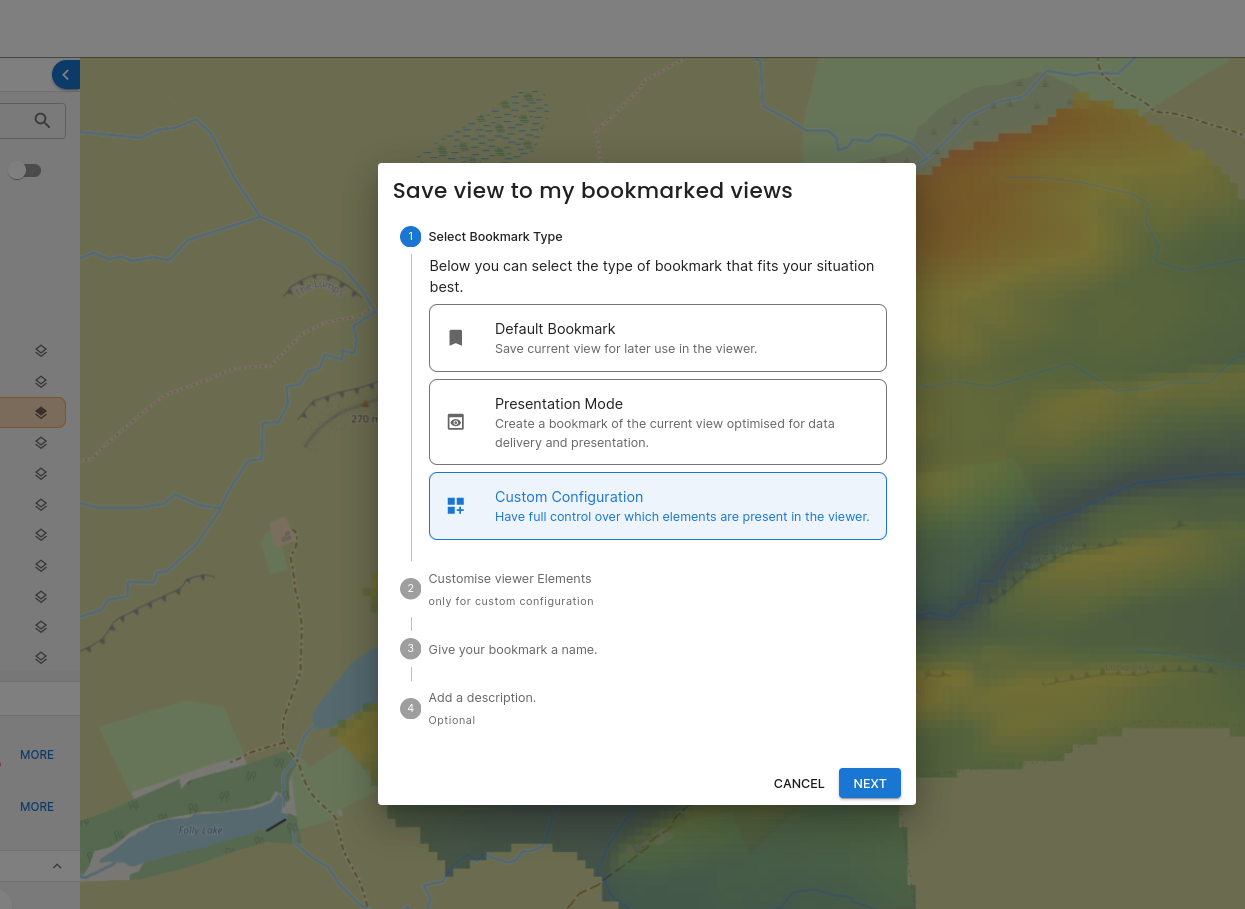
4.) Choose either:
* **Presentation Mode** (simplified view)
* **Custom Configuration** (full control over viewer elements)
5.) Save the configuration as a bookmark
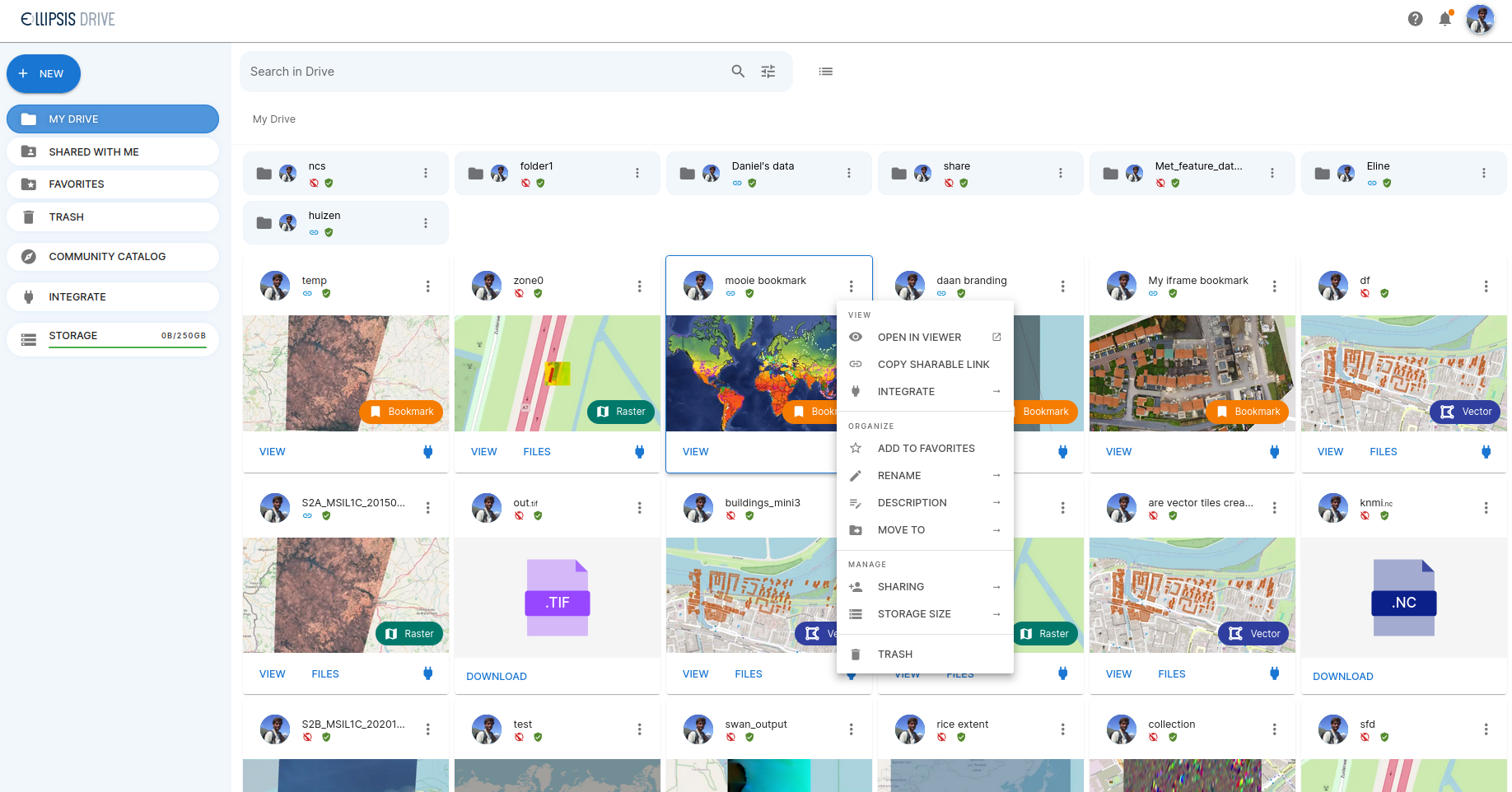
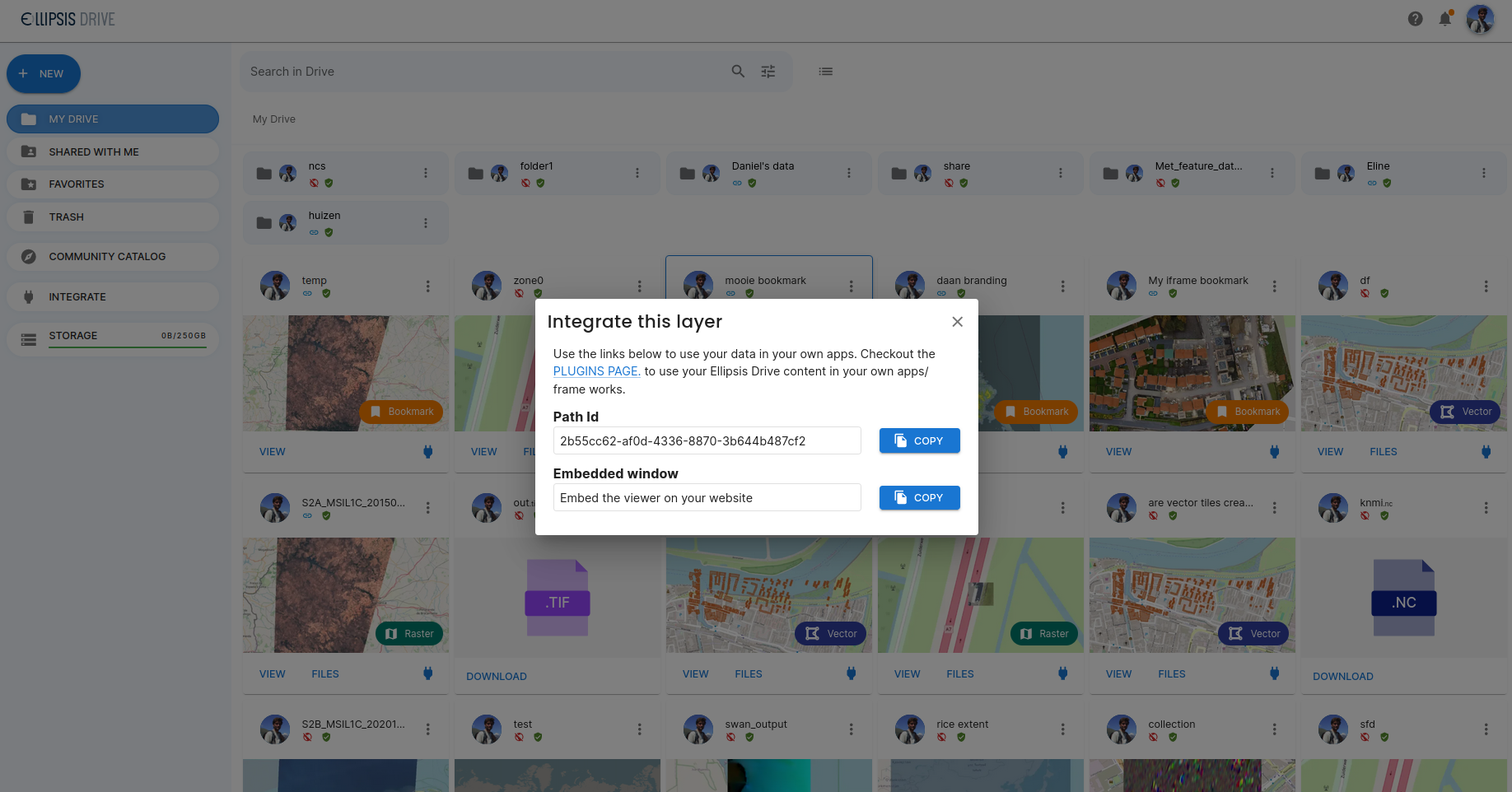
6.) Open the bookmark and select **Integrate**
7.) Copy the **embedded window HTML snippet**
You can now use this code in your own website or application.
***
#### Authentication and access control
Embedded viewers respect the access permissions of all included layers.
To ensure proper access:
* enable link sharing for all required layers, or
* [use authenticated URLs with access tokens](/developers/common-integrations/share-ellipsis-drive-viewer-via-secure-links.md)
Without proper authentication, layers may not load in the embedded view.
***
A video walkthrough is available below.
{% embed url="" %}
How to use a Bookmark as embedded window
{% endembed %}
***
#### Interaction events
The embedded viewer can send interaction events back to your application.
You can listen for these events in your JavaScript code using:
```
window.addEventListener('message', function (e) {
// Get the sent data
const data = e.data;
// parse the message as a json;
const decoded = JSON.parse(data);
//check the action type of the message and the data of the message
console.log('action type is ', decoded.action)
//data of the action is
console.log('data of action is', decoded.data)
});
```
#### Supported events
| Action | Description |
| -------------- | --------------------------------------------------------- |
| `featureClick` | Triggered when a vector feature is clicked in the inframe |
| `rasterClick` | Triggered when raster values are queried via click |
These events can be used to trigger custom behaviour in your application or dashboard.